
Vega devices keep the familiar Fire TV branding but need their own software decision. Amazon identifies newer models, including Fire TV Stick 4K Select, as Vega products. An Android-era tutorial is therefore not a reliable installation guide merely because the remote looks familiar.
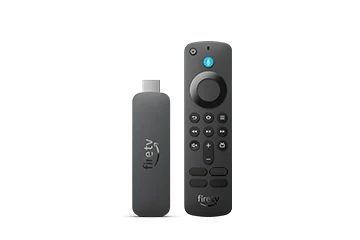
Match the model to its platform
Read the exact model and OS from the device information screen. Amazon lists Vega devices with Android level marked not applicable. Keep that distinction in your setup notes, especially when replacing an older Fire OS stick with a newer product bearing a similar 4K name.
Look for an app offered to this device
Amazon can make selected Fire OS apps available through its Cloud App Program. That arrangement uses an approved cloud-hosted implementation; it is not permission to install any APK locally. If a player is missing, a verified native or approved store route must be established before continuing.
- Use Find or the Fire TV search control to locate the intended player.
- Open the actual Appstore result on the Vega device.
- Review the developer, requirements and charge shown there.
- Install only when that device is offered the app, then open it normally.
Use the player’s documented account screen
After a supported app launches, match its account fields to the credentials or playlist method actually issued. A working Amazon account does not activate IPTV USA, and a player appearing in the store does not establish that the service has tested it. Keep any account token out of photographs and shared setup notes.
Judge installation and playback separately
A useful first result is a supported app that opens and accepts remote input. Account authentication and a reproducible playback check follow afterward. Neither the product’s 4K name nor a successful download proves the resolution of an individual stream.
Stop the wrong installation branch early
If a guide asks for Android unknown-source settings that your Vega device does not have, recheck applicability instead of searching for a workaround. Record the missing app, model and OS version. Choose another documented player or an independently verified external device if the required app is unavailable.
Model and operating-system differences
| Model | Documented platform |
|---|---|
| Fire TV Stick 4K Select (2025) | Vega |
| Fire TV Stick HD (2026) | Vega |
| Fire TV Stick 4K third generation (2026) | Vega |
Useful answers
Is Vega just a newer Fire OS version?
Treat it as a separate platform. Amazon’s model table distinguishes Vega from Android-derived Fire OS.
Can Amazon’s Cloud App Program run every APK?
No. Amazon describes a selected app program. Its existence does not establish compatibility for an arbitrary player or user-supplied package.
Which Vega minor version should a guide promise?
None universally. Official pages surfaced different minor releases during research; read the actual device’s installed version and verify current updates.