
Xiaomi TV Stick 4K generations do not share an identical software description. The first-generation specification researched here names Android TV 11, while Xiaomi’s second-generation FAQ names Google TV. Identify the generation before choosing screenshots or account instructions.
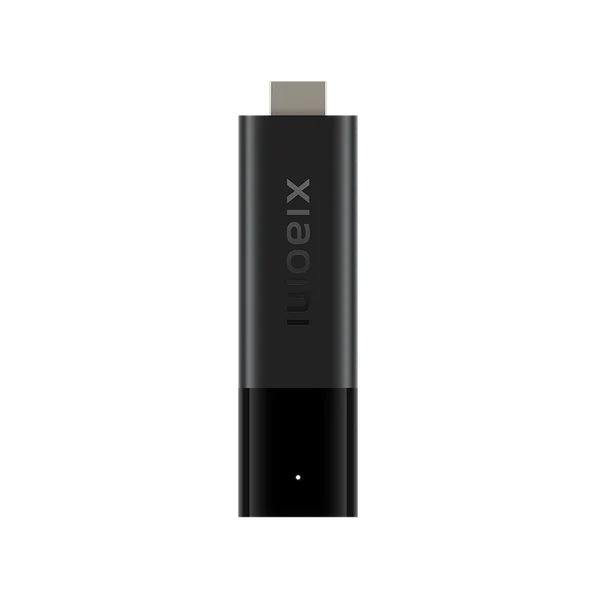
Read the model instead of the product shorthand
Check the product label and system information, and keep the model or generation in the support record. A shop description shortened to TV Stick 4K may omit the distinction. Connect to the intended television and network, and complete the Google account setup appropriate to that device.
Follow the matching app-store layout
These are two alternative navigation branches. Xiaomi’s cited product and support pages use different regional locales, so check the actual locally supplied model rather than treating one marketing page as proof for every market or replacement unit.
- On the documented first-generation Android TV model, open Apps and Google Play Store.
- On the documented second-generation Google TV model, use Apps or Search.
- Find the exact television player and review its developer and requirements.
- Install it only when offered for that actual device, then open it from the app library.
Use the player’s current account method
After installation, choose the input documented for the player edition. Keep a server address, separate account credentials and a complete playlist URL distinct. An existing Google account does not activate IPTV USA, and a player feature purchase is not the same transaction as a service plan.
Check a complete usable interface
Confirm that the remote can open settings and reach the intended account screen. Then test a permitted playback task. A stick’s 4K output label does not establish the native resolution of a stream or prove that a particular service has been tested on it.
Recheck the branch before resetting
If the menu differs from a tutorial, compare the generation first. If the app is absent, check its current TV listing and device requirements. Preserve the current configuration before reinstalling or clearing app data, and record whether the failure concerns installation, account authentication or playback.
Model and operating-system differences
| Model | Documented platform |
|---|---|
| Xiaomi TV Stick 4K, researched first generation | Android TV 11 |
| Xiaomi TV Stick 4K second generation | Google TV |
Useful answers
Why do two Xiaomi TV Stick guides show different home screens?
The researched first generation uses Android TV, while the second-generation FAQ identifies Google TV. Follow the exact model’s software.
Does a regional Xiaomi page prove my US unit is identical?
No. Match the model and generation of the actual device; regional product documentation is not a service compatibility test.
Does the 4K name guarantee a 4K stream?
No. Output capability, source resolution and the viewing account’s available content are separate factors.